Parent-teacher conferences
A parent-teacher conference event lets parents and caregivers to book one or more time slots to see their child's teachers. It's most often used for "meet the teacher" events at the start of the school year, and for parent-teacher interviews during the year.
Before you begin
Make sure every staff member families will book has been added to your staff.
Step 1: Create your event
Sign in to Parent Events and select Start an Event from the Events menu.
- Choose Parent-teacher conferencing as your event type.
- Fill in the event's name (such as "Term 1 Parent-Teacher Interviews"), a description for parents, the open and close dates for bookings, and the staff or groups parents can book.
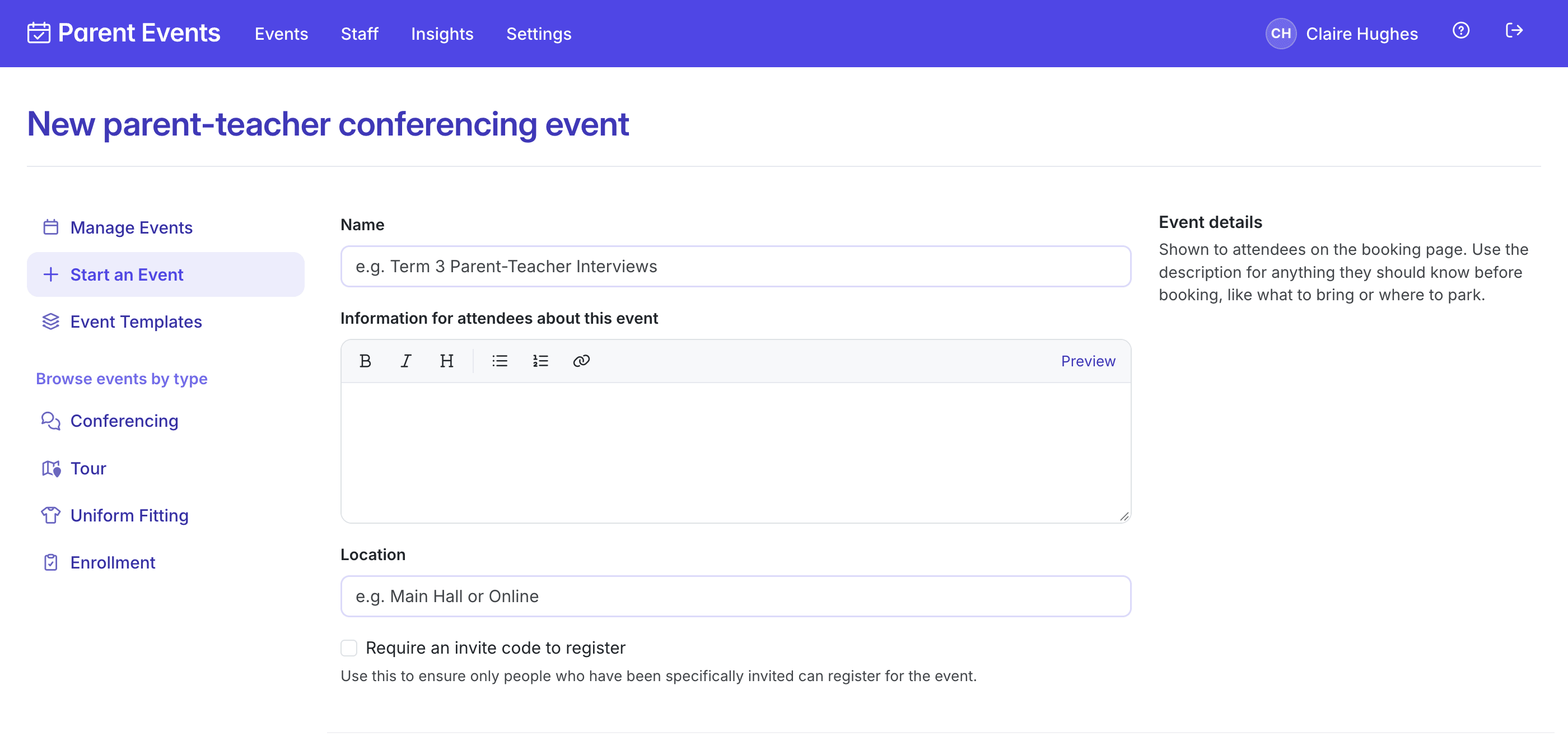
Once your event has been created, you can:
- choose the dates and times that can be booked
- add questions to the registration or booking forms
- set each staff member to in-person or online, so you can mix classroom meetings and video meetings in the same event
- block off times for staff as breaks
Step 2: Publish and share your event
- Publish your event. Most conferences are private.
- Send parents the event code, or a link to the event on your event website, through your usual channels such as email or the school newsletter.
Parents visit your event website, enter the code (if private), register, and book their time slots.
Step 3: Manage bookings
As bookings come in, staff can sign in to see their bookings, and Event Managers can follow progress in reports and statistics. Parents can see and change their own bookings from their timetable.
Step 4: Run the event
On the day, staff can see their schedule in Parent Events. Staff with online meetings run their day from My Day, which puts their schedule, video meetings and notes on one page. Event Managers can watch the whole event from the Event Control Room.
Step 5: Follow up
After the event, review its statistics. If you've set up a feedback form, parents are sent it automatically.