Calendar feeds
Calendar feeds put your events and bookings into the calendar app you already use, such as Google Calendar, Outlook or Apple Calendar. They update automatically, so new bookings and cancellations appear without you doing anything.
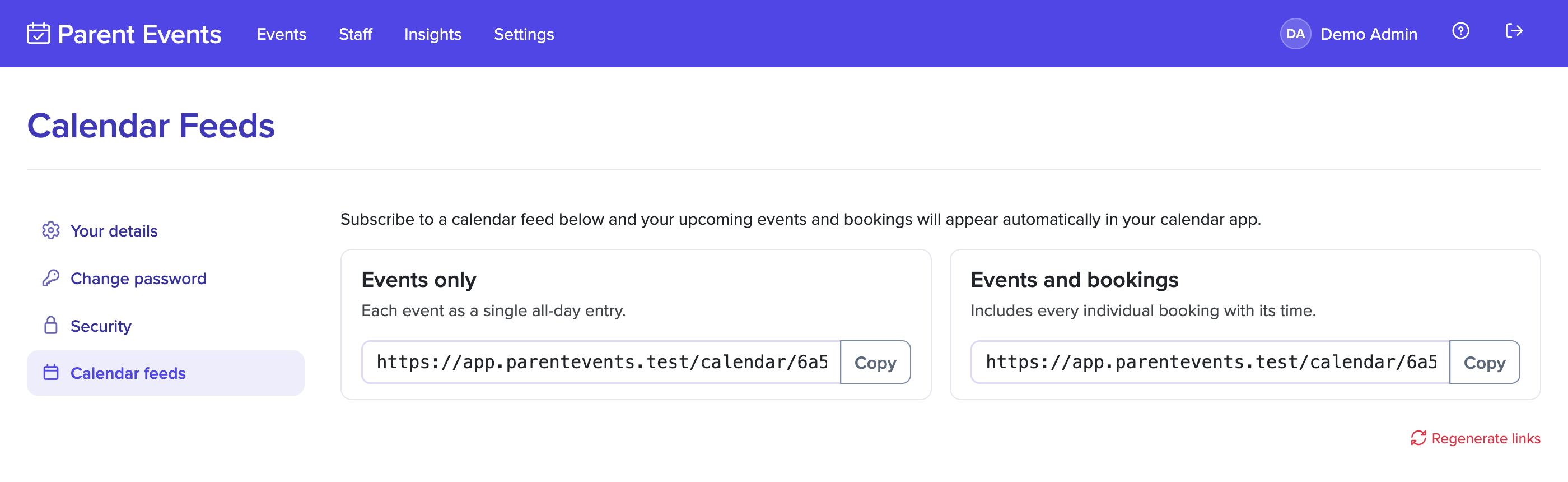
Subscribing to a feed
- Click on your name in the top-right corner, and go to Calendar feeds.
- Copy the link for the feed you want:
- Events only: each event you're part of as a single all-day entry.
- Events and bookings: the events, plus every upcoming booking with its time, the family and student, any booking comment, and the event's location or how to join online.
- In your calendar app, add a calendar by URL (sometimes called "subscribe to calendar" or "add from internet"), and paste the link.
Calendar apps check for changes on their own schedule, which can be anywhere from a few minutes to a day. Google Calendar in particular can be slow to update.
Keeping your link private
Anyone with your feed link can see your bookings, including families' names. Don't share it.
If you think someone else has your link, select Regenerate links. Your old links stop working straight away, so you'll need to subscribe again with the new ones.