Attachments
Attachments are files you add to an event for families to download, such as venue information, parking maps, or handouts they'll need before or during the day. Each event has its own attachments.
For maps you use at every event, such as a campus map, use Maps instead, so you only upload them once.
Adding an attachment
- Click on Events in the main menu, and choose the event.
- Click on Attachments.
- Choose the file and upload it.
Files can be up to 50MB. You can upload PDFs, Word, Excel and PowerPoint files, images, text files, and MP3, WAV, MP4 and MOV audio and video.
If you can't upload files, an administrator needs to allow Event Managers to upload attachments from the staff settings.
Who can see an attachment
A new attachment is only visible to staff. When it's ready for families, change it to Everyone from the Attachments page.
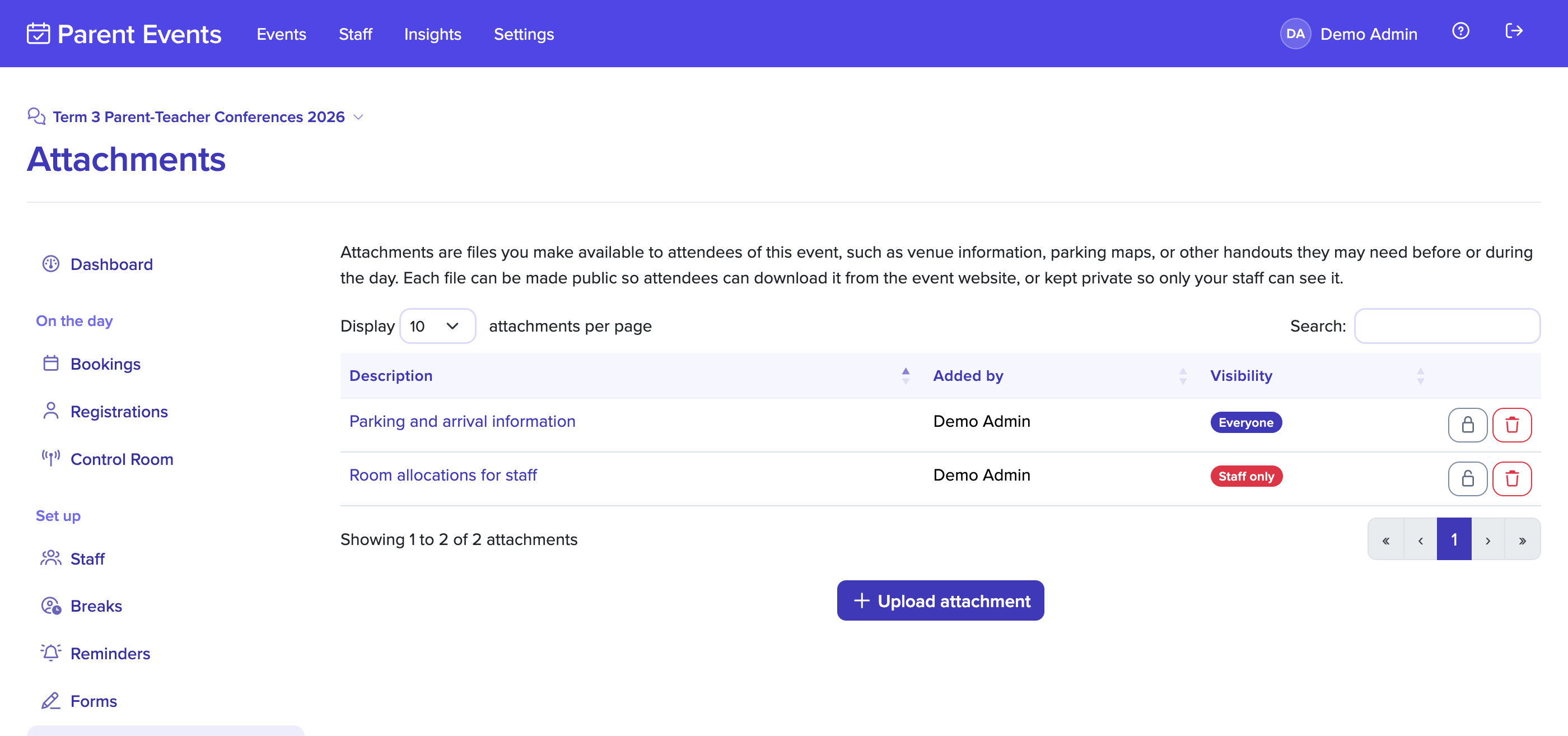
Attachments visible to everyone appear on the event website for families who have registered: on the event's information page, the booking page, and the page they see after registering.
You can switch an attachment back to staff only at any time.
Files uploaded by families
Files that families upload through a form question, such as an identity document, are separate from attachments. They're downloaded from the Event Attachments report, and only by people your school allows, because they may contain sensitive information. See staff settings.